Electronic Team, Inc. uses cookies to personalize your experience on our website. By continuing to use this site, you agree to our cookie policy. Click
here
to learn more.
OK
Toggle navigation
MacDroid
Android File Transfer
Pricing
Contact Us
Download
Thank you for downloading!
https://cdn.electronic.us/products/macdroid/mac/download/macdroid.dmg
5
MacDroid
is a Mac app and should be installed on your computer, not phone.
Send download link
Copy download link
Link copied
*then run the .dmg on Mac to get started
1
Your download will start automatically.
Click here
if it doesn’t begin.
2
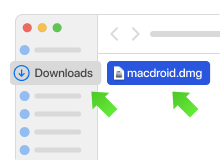
Find the macdroid.dmg file in your Downloads folder.
3
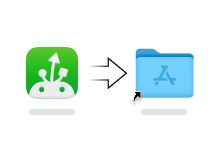
Open the macdroid.dmg file and drag it to the Applications folder.
4
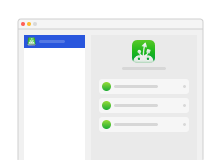
Launch the app, connect your Android device, and start using it.
MacDroid PRO
with 7-day free trial
Start 7-day free trial
invisible
PRO
FREE
Multidevice connection
USB or Wi-Fi connection
Tech support & software updates
File transfer from Android to Mac
File transfer from Mac to Android
Edit Android files directly on Mac
invisible
TRY PRO NOW
invisible
Try PRO now
Anytime cancellation
Activate on up to 5 Macs
Connect Android to Mac
/
Download